

LOBBY
Casino categories
Open the category page to separate slots, Live Casino tables, Crash Games, Bingo and Royal Fishing.

payung92 brings Live Casino tables, featured slot rooms and football markets into one account linked to local wallets.

and Indonesia payment rails are described as service context, where local law permits.
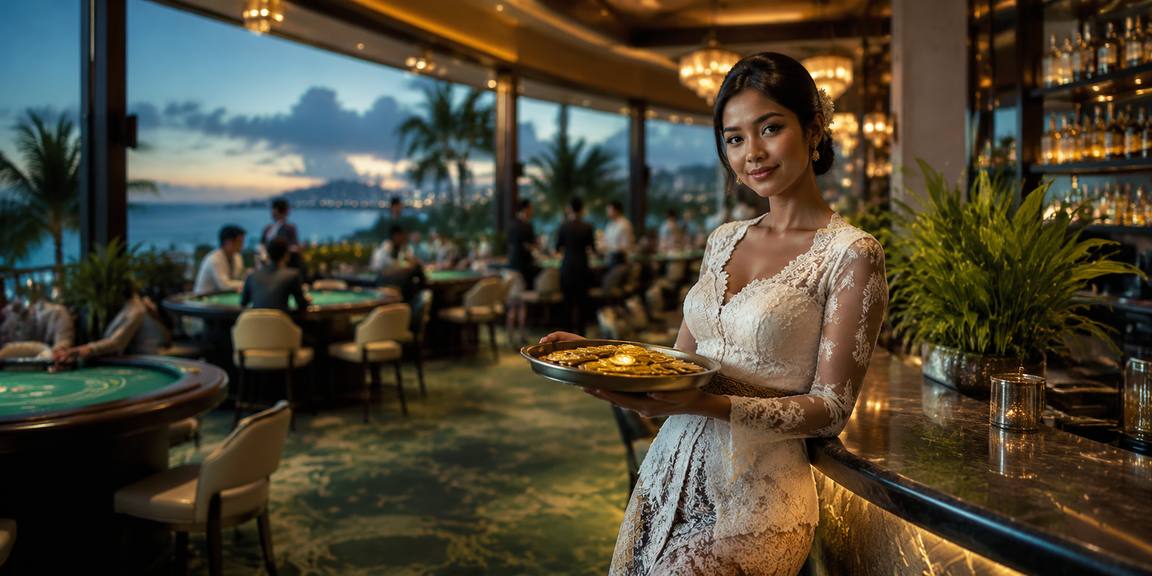
Cards, tables, FAQ and policy pages stay readable on small screens so you can find information on any device.
Casino and slots appear first, followed by dealer tables, Crash Games, Bingo, Royal Fishing and the sportsbook entrance.
The home catalogue includes familiar names such as Pragmatic Play, PG Soft and Habanero, with studio labels shown beside their available casino titles.
Your home cashier supports DANA, OVO, GoPay and QRIS alongside virtual account and bank transfer routes.
The main navigation keeps durable account and service pages close to the lobby. These links explain category access, wallet status, mobile behaviour, support contact and policy wording, giving you useful context before…



Four checks on our home screen help you avoid account confusion. Confirm the registration path, read the phone-verification prompt, inspect the available lobby doors and locate the security…
Help is linked close to the account and cashier paths because that is where most status questions begin. Choose live chat for an active session, email when you need to attach transaction details, or mobile help when the screen path itself is unclear.
Open live chat from the home support link when login, phone verification or wallet status stalls. The help panel shows current availability before you begin the conversation.
Use email when your case needs a receipt reference, transaction timestamp or longer explanation. Include your account identifier and selected rail, but never send your password.
The mobile help path covers navigation, QRIS display and lobby-loading questions on phones or tablets. State your device and browser so we can narrow down the screen involved.
Our mobile home keeps login, phone verification, wallet status and the lobby in one vertical path.

Account protection begins before the lobby opens. We use a clear phone-verification step, keep cashier status attached to your account and provide a visible support route when access…
Searching across unrelated pages can separate game names, wallet status and contact details. Our home keeps those tasks connected under your account.
Our home presents one account path with phone verification before access. Scattered discovery can expose outdated or unrelated entry pages that do not show the current account status.
The lobby separates slots, Live Casino, Crash Games, Bingo and Royal Fishing. Notes collected elsewhere may mix game categories without showing which titles are currently attached to our catalogue.
DANA, OVO, GoPay and QRIS appear inside the cashier path. External lists may mention rails without showing whether a transaction was submitted, pending or ready for a status check.
The mobile home links login, wallet status and game search in sequence. Disconnected bookmarks can add repeated page changes and make it harder to identify the active account session.
Our help link sits near account and cashier controls, with live chat, email and mobile help choices. Contact details copied elsewhere may not reflect the channel currently displayed.
Terms, privacy text and eligibility language are available from the home footer. Offline notes cannot reflect later wording changes, so check the currently displayed policies before account activity.
Return data belongs to each game or category rather than the home page as a whole. Open the title details before a session to inspect its published rules, feature behaviour and available…
Check the title panel for published return data, feature rules and paytable details. Different slot versions may display different mechanics, so use the information attached to the game you actually open.
Live baccarat, roulette, Dragon Tiger and blackjack use table-specific rules and limits. Read the table panel before joining because minimum stakes and side options can vary between streams.
Crash Games show their round mechanics within the game screen. Review the displayed multiplier process and round history as context, without treating earlier rounds as a prediction of later results.
Bingo rooms publish card, draw and prize conditions inside the selected room. Check those conditions before entry because room formats and schedules can differ across the home catalogue.
Royal Fishing uses title-specific controls, targets and feature rules. Open the game details from the home catalogue to understand the controls and session mechanics before committing account funds.
Our home is arranged for Indonesian account paths, local wallets and mobile browsing. Regional availability is not the same in every location, and access depends on local law. Before creating activity, confirm the eligibility wording shown on the site and ensure your submitted phone and account details are accurate. DANA, OVO, GoPay and QRIS remain the primary wallet references displayed for this market.
A useful home page should make important actions visible, not bury them beneath promotional art.
A single entry leads from registration details to phone verification and account access. Status wording appears before the lobby so you can see whether another account step is required.
Casino and slots occupy the first lobby row, followed by Live Casino and other categories. This order keeps the main catalogue visible without mixing every title into one screen.
DANA, OVO, GoPay and QRIS appear as named choices rather than generic wallet labels. The selected rail remains visible while you complete the requested cashier details.
Phone navigation keeps login, QRIS access, slot search and wallet status in a vertical flow. Wider devices expand the content area without changing the core navigation order.
The footer provides terms, privacy wording and regional eligibility access. These links remain separate from promotional panels so you can read account conditions without entering a game.
Support access appears near the cashier and account areas. Live chat suits active status questions, while email and mobile help provide routes for receipts or device-specific concerns.
These answers address common searches about the payung92 Home, including account entry, lobby contents, wallet access, mobile behaviour, regional availability and support. Check the current on-screen status whenever your question concerns a specific transaction or session.
Begin with the account panel and confirm whether phone verification is complete. Move to the lobby row to choose casino and slots, Live Casino or sportsbook markets.
Read the account message before entering the lobby. If phone verification is incomplete, finish that step or contact support rather than repeatedly submitting the same registration details.
Use the named category row to reach casino and slots, Live Casino, E-Sports Arena, Crash Games, Bingo, Royal Fishing or sportsbook markets without searching unrelated pages.
Select one supported rail and follow its displayed fields. Retain the receipt reference for DANA, OVO, GoPay, QRIS, virtual account or bank transfer status questions.
Open live chat for an active issue, email for a receipt-based case or mobile help for screen navigation. Include the relevant time, rail or game title.